WhatsApp Plus vs Original WhatsApp: Key Differences
Choosing between WhatsApp Plus and the official WhatsApp app comes down to understanding exactly what each one offers and what each one costs you in return. waappsplus.com put this comparison together to give a clear, side-by-side look at the two, covering everything from customization to security to long-term reliability, so you can decide which fits your needs.
The Core Distinction
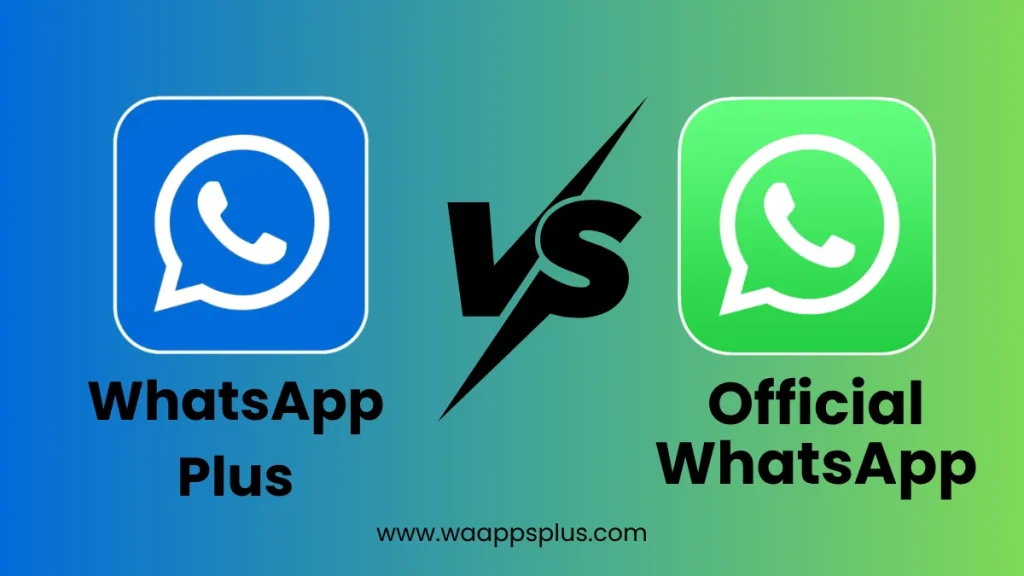
Official WhatsApp is developed and maintained by Meta, distributed exclusively through the Google Play Store and Apple App Store, and operates fully within its own terms of service. WhatsApp Plus is an independently developed modification of that same base code, distributed as an APK file outside official app stores, built specifically to add features the original does not include. Everything else in this comparison flows from that fundamental difference.
Feature Comparison
| Feature | Official WhatsApp | WhatsApp Plus |
|---|---|---|
| Custom themes | Light and dark mode | Wide range of custom themes and colors |
| Font customization | Not available | Available |
| Hide last seen per contact | Not available | Available |
| Hide typing/recording indicator | Not available | Available |
| Per-chat lock | App-wide lock only | Individual chat locking |
| Media sharing limits | Standard | Often increased |
| Anti-delete messages | Not available | Sometimes included, version-dependent |
| Multi-account support | Limited | More flexible in some builds |
| Automatic updates | Yes, via app store | No, manual download required |
| Official support channel | Yes | No |
Customization Depth
This is where WhatsApp Plus draws the most attention. Official WhatsApp has historically kept its visual customization minimal, offering little beyond switching between light and dark mode. WhatsApp Plus, by contrast, includes a much broader set of visual options, letting users change color schemes, fonts, icon styles, and chat bubble appearances. For users who place a high value on personalizing their messaging interface, this is the single biggest draw.
Privacy Controls
Official WhatsApp has gradually added more privacy settings over the years, including options around who can see your profile photo, status, and last seen time. WhatsApp Plus generally goes further, offering more granular, per-contact control over these settings, along with options like hiding the typing indicator entirely, which the official app does not offer at all.
It is worth noting that more granular controls are not automatically the same as stronger security. Privacy settings control what other users can see about you, while security relates to how well your data and messages are protected from outside access. The two are related but distinct.
Update and Maintenance Cycle
Official WhatsApp updates automatically through the Play Store or App Store, meaning users typically receive the latest security patches and feature updates without needing to do anything themselves. WhatsApp Plus does not have this automatic mechanism. Each new version has to be manually downloaded and installed by the user, and new versions only become available once the WhatsApp Plus development team has updated their modified codebase to match the latest official release. This creates a natural lag between when official WhatsApp ships an update and when WhatsApp Plus catches up.
Security and Review Process
Official WhatsApp goes through Apple’s and Google’s app review processes before any update reaches users, and its encryption implementation has been subject to independent, public review over the years. WhatsApp Plus does not go through either of these processes. Its security depends on the diligence of its independent developers and, critically, on the trustworthiness of whichever source you download it from.
| Security Aspect | Official WhatsApp | WhatsApp Plus |
|---|---|---|
| App store review | Yes | No |
| Independent encryption audits | Yes, publicly documented | Inherited, not independently audited |
| Malware scanning at install | Yes, automatic | No, source-dependent |
| Vulnerability patch speed | Fast, centralized | Slower, dependent on developer activity |
Account Stability and Policy Compliance
This is one of the most significant practical differences. Using official WhatsApp carries no policy risk, since it is the sanctioned, intended way to use the platform. Using WhatsApp Plus means operating outside WhatsApp’s terms of service, which creates a real possibility of account suspension if WhatsApp’s systems detect the modified client. This is not a hypothetical concern; it has happened to users over the years and remains a relevant risk in 2026.
Storage and Backup Behavior
Both apps generally support backing up chat history to cloud storage or local device storage, though the exact backup destinations and restore compatibility can vary depending on the specific WhatsApp Plus version. It is generally advisable to keep an independent backup before switching between the two, since restore compatibility is not always guaranteed to be seamless in both directions.
Who Tends to Prefer Each Option
| User Priority | Likely Better Fit |
|---|---|
| Maximum reliability and official support | Official WhatsApp |
| Business or professional communication | Official WhatsApp or WhatsApp Business |
| Deep visual customization | WhatsApp Plus |
| Granular per-contact privacy settings | WhatsApp Plus |
| Long-term account stability | Official WhatsApp |
| Willingness to manage manual updates | WhatsApp Plus |
Can You Use Both?
Technically, you can have both apps installed on the same Android device, but each requires its own unique phone number to stay active simultaneously, since WhatsApp ties an account to a single number per active session in most circumstances. Some users keep official WhatsApp on their primary number for important contacts and use WhatsApp Plus on a secondary number to explore its features without risking their main account.
Frequently Asked Questions
Which app sends messages faster?
There is no meaningful difference in message delivery speed between the two, since both rely on the same underlying network infrastructure for sending and receiving messages.
Can I transfer my chat history from official WhatsApp to WhatsApp Plus?
In many cases yes, using a standard backup and restore process, though results can vary depending on the specific version of WhatsApp Plus you are installing.
Does WhatsApp Plus support voice and video calls?
Yes, this core functionality is generally inherited from the base WhatsApp code that WhatsApp Plus is built on.
Is WhatsApp Plus a completely different app from a different company?
No, it is a modification of WhatsApp’s own code rather than an entirely separate messaging platform, which is part of why it looks and feels so similar to the original at first glance.
Where can I find the current version comparison details?
waappsplus.com tracks version updates and notes which features are new or changed compared to both the previous WhatsApp Plus release and the current official WhatsApp app.
Conclusion
The choice between WhatsApp Plus vs official WhatsApp ultimately comes down to a trade-off between customization and stability. WhatsApp Plus offers a noticeably richer set of personalization and privacy options, but it asks you to accept manual updates, an unaudited security posture, and real account policy risk in exchange. Official WhatsApp offers a more limited but fully supported, automatically updated, and policy-compliant experience. Understanding this trade-off clearly, rather than focusing only on the feature list, is the most useful way to decide which one actually fits how you use messaging day to day.